Input
Dialog Layout
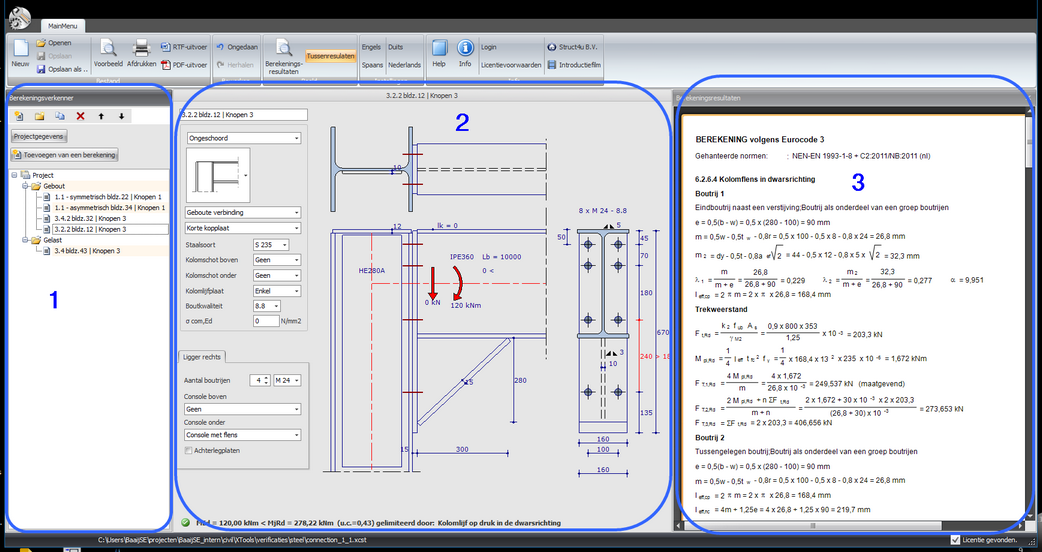
The application consists of one dialog window. This is a deliberate choice. This gives you an overview of the entire calculation, both the input and the calculation results. With a minimal number of mouse clicks you can navigate through the different calculations and modules.
Screen Components
- Calculation Explorer - Overview of all calculations in this project
- Input dialog per module - Input fields for the selected module
- Output calculation results - Results of the 'active' calculation. This screen component is movable (dockable). This means you can place this screen at the bottom or on a second computer screen. With every change in screen component 2, the calculation is redone and you immediately see the output in screen component 3. This works fast and pleasantly.